
Find
Jobs scored against your resume, every morning
Second Summit reads employers' own career pages, scores each new role from 1 to 10 against your resume and tells you why.
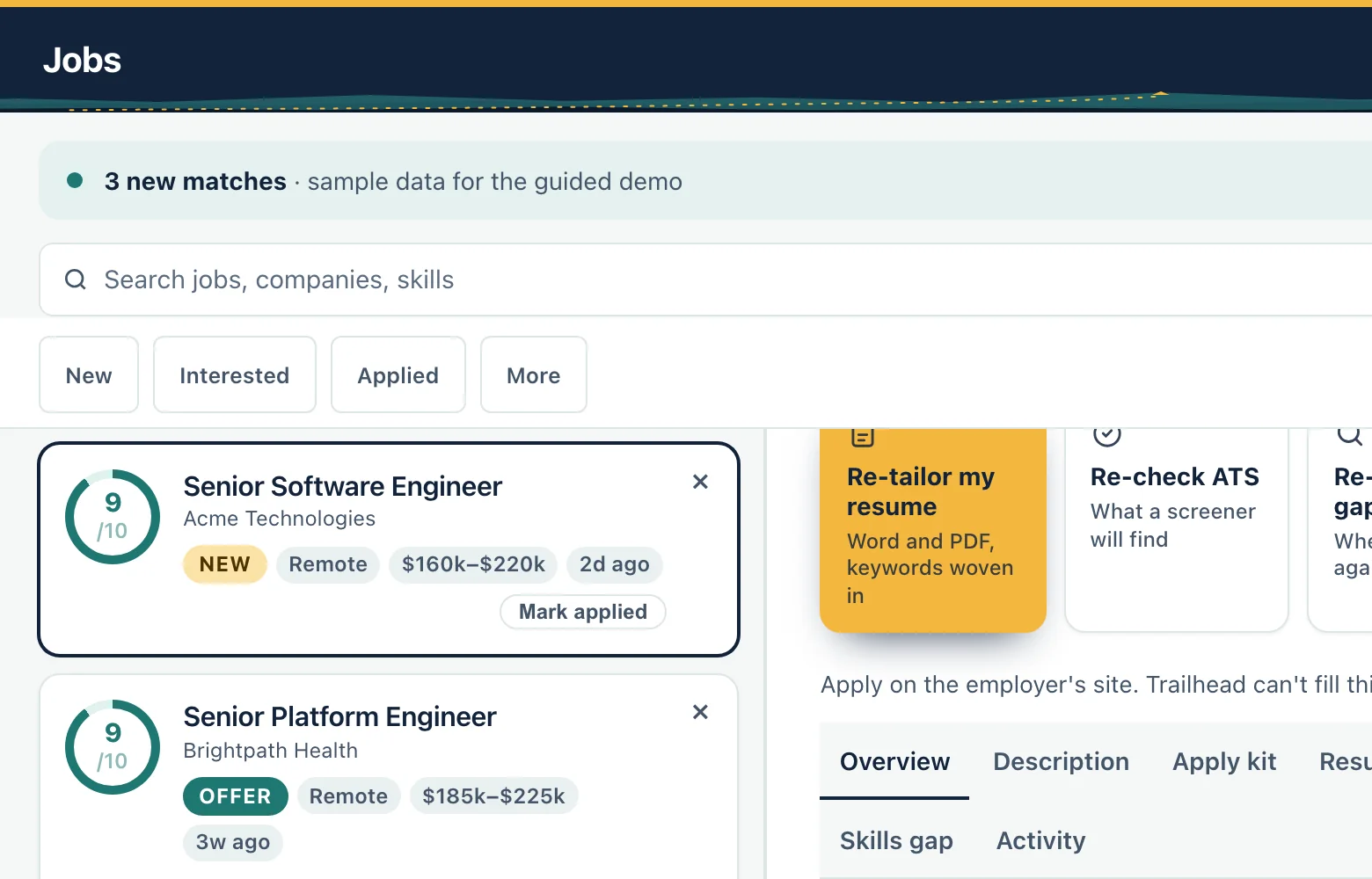
What it does
- Checks employers' public career pages every morning and adds new roles to your list.
- Scores each role from 1 to 10 against your resume and your goals, and gives the reason.
- Shows each real job once, so the same posting does not fill your list.
- Lets you add any job you found yourself by pasting its link or its text.
- Filters, sorts and searches your list, and lets you select several jobs to move or dismiss together.
How it works
Step 1
Open Today to see the new matches that arrived overnight.
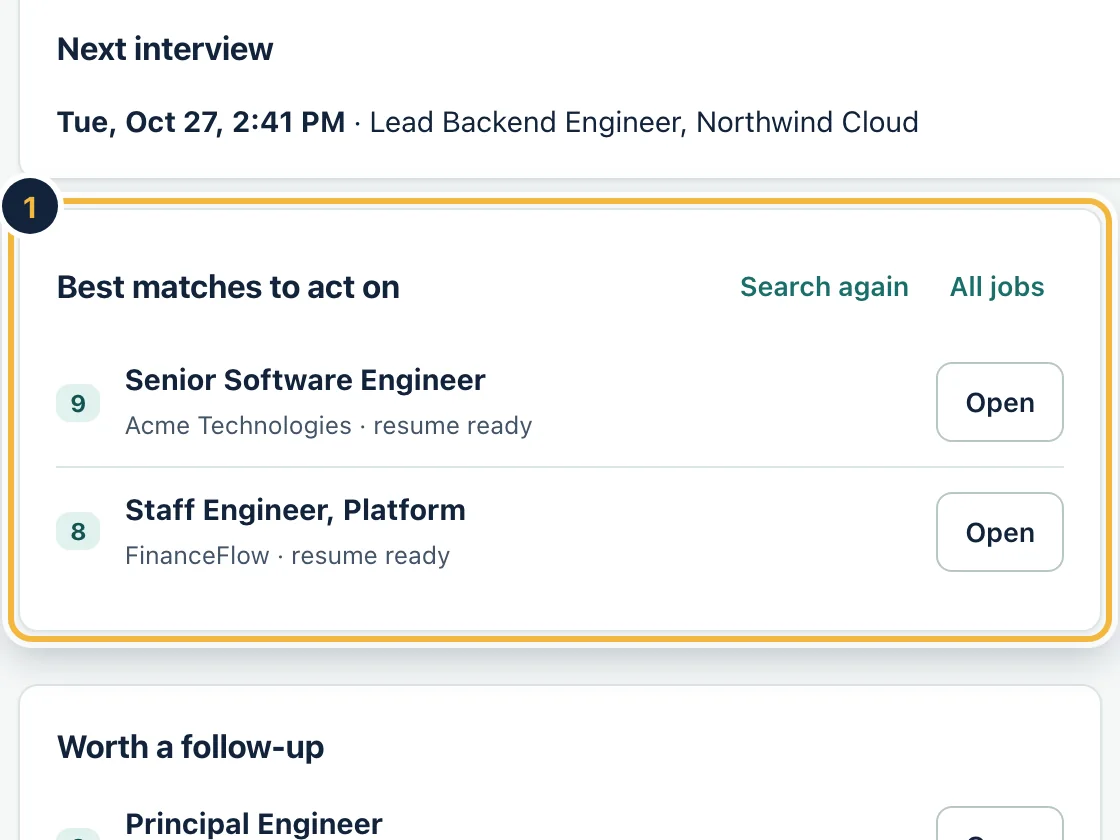
Sample data, on a computer Step 2
Open a job to see why it scored the way it did, the skills it asks for and the full description.
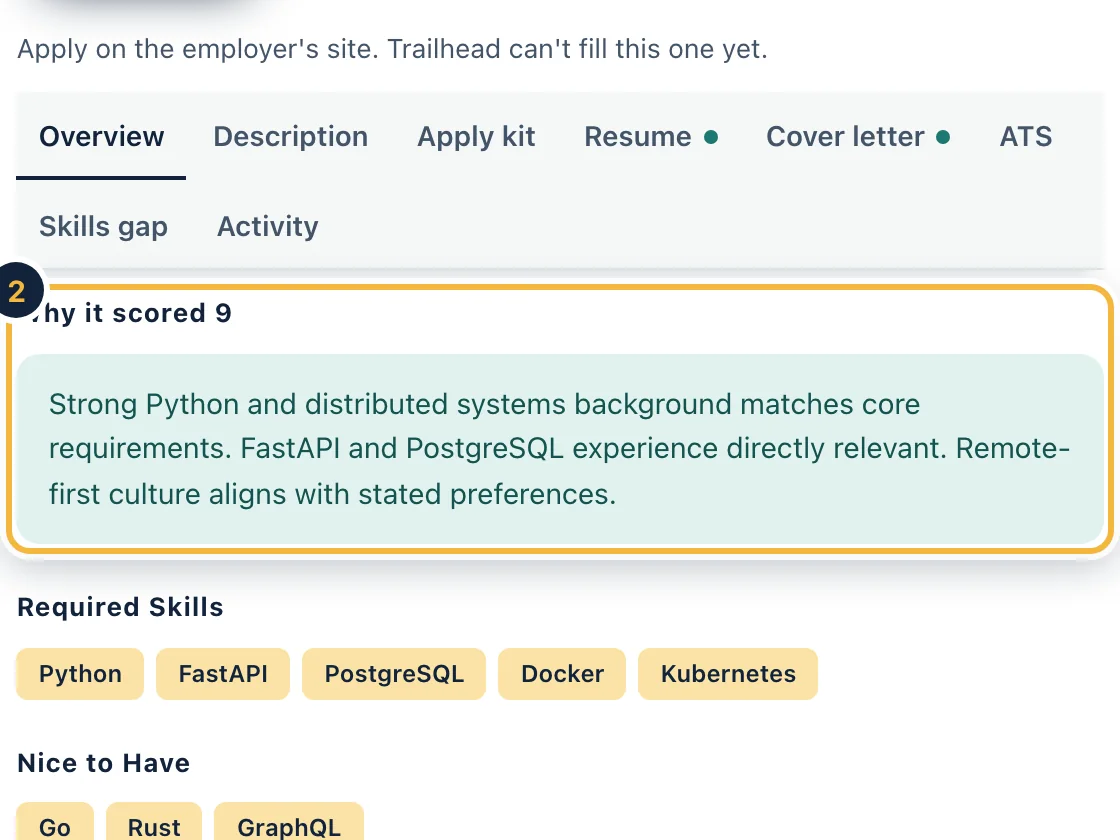
Sample data, on a computer Step 3
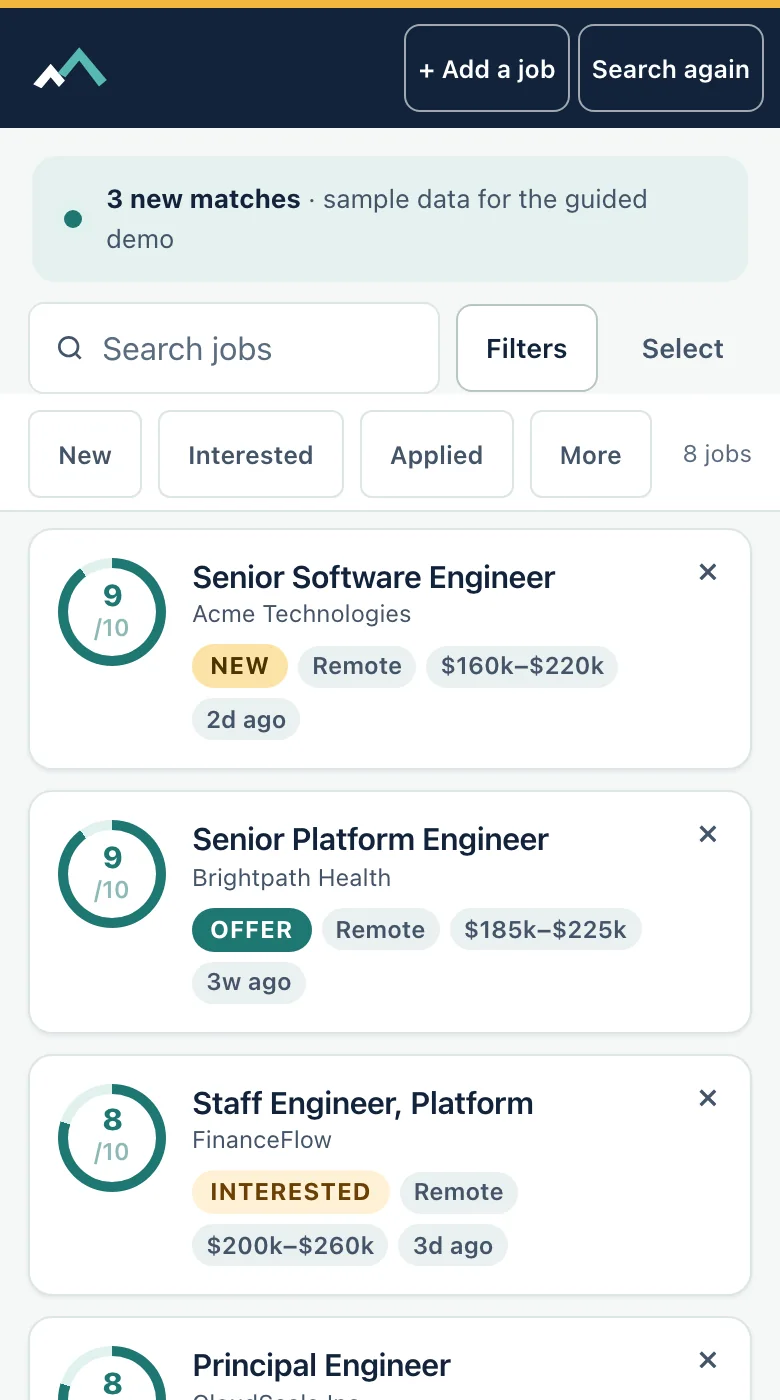
Work the same list on your phone: search, filter and mark each job as you go.
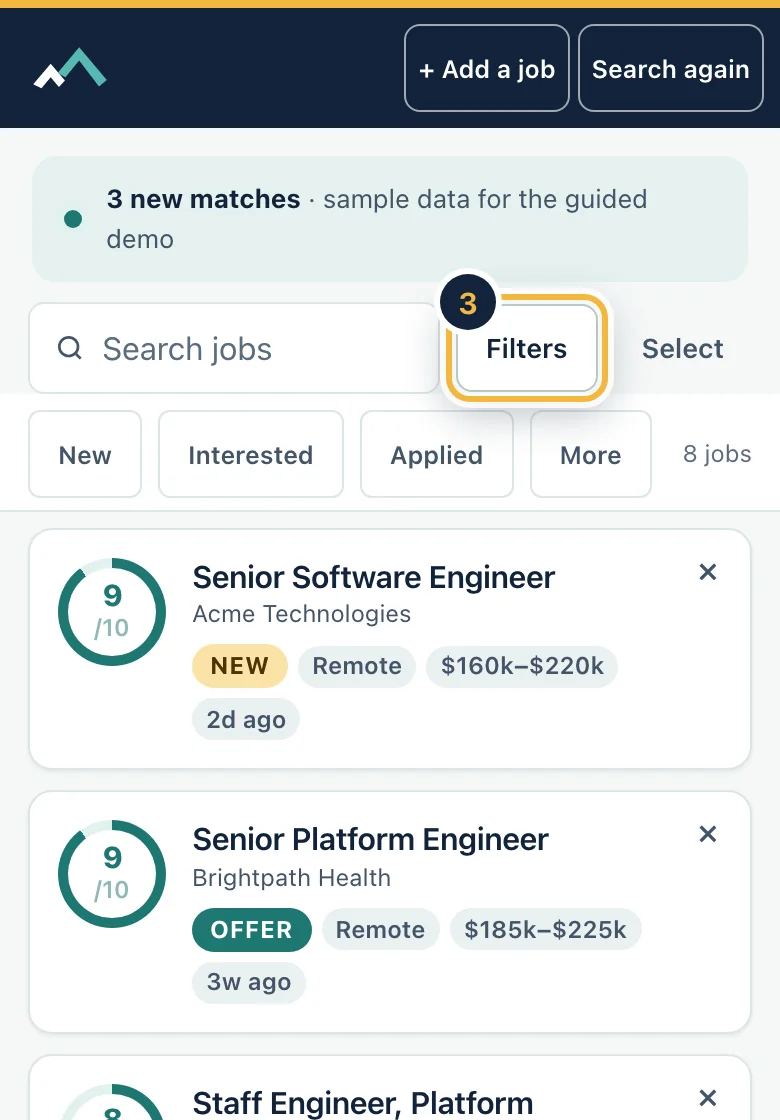
Sample data, on a phone
Who it is for
- Applying to many jobs
- Changing roles
- Tired of checking career pages by hand
Honest limits
Matches come from employers' own career pages and from job search services we license. A score is our estimate of fit with your resume, not a promise of an interview.
Questions
Where do the jobs come from?
From employers' public career pages and from job search services we license. You can also add a job yourself by pasting a link or the posting text.
Does a high score mean I will get an interview?
No. The score compares your resume with what the posting asks for and shows the reason. Whether an employer replies is up to them.
Will I see the same job twice?
Each real job shows once. Copies posted by recruiting platforms are hidden by default, and you can show them with one press.
Can I add a job I found somewhere else?
Yes. Paste the link or the text of the posting and it gets the same score and the same tools as any other job.
Related features
Try it on your own resume
Create a free account and start with the sample jobs or your own.